
Blog
How to Verify an Account at Coral Casino in the United Kingdom

Account verification is a standard part of playing at an online casino in the United Kingdom. At Coral Casino‚ the process helps confirm a player’s identity‚ protect the account from unauthorised access‚ support responsible gambling‚ and comply with UK regulations. Although verification may seem inconvenient at first‚ preparing the correct documents can make it quick and straightforward.
This guide explains how players can verify a Coral Casino account‚ which documents may be requested‚ how long checks can take‚ and what to do if verification is delayed; Before registering or depositing‚ players should always confirm that the service is available to them‚ read the current terms‚ and use only official casino channels. More information can be found at https://coralcasinoapp-uk.com.
Why Coral Casino Requires Verification
UK-licensed gambling operators must know who is using their services. Verification is not simply an administrative formality; it is a legal and security requirement. Coral may ask for information to confirm a player’s identity‚ age‚ address‚ payment ownership‚ or source of funds.
- Age protection: the operator must ensure that the player is at least 18 years old.
- Identity confirmation: personal information supplied during registration must belong to the account holder.
- Fraud prevention: checks help detect stolen identities‚ duplicate accounts‚ and suspicious activity.
- Payment security: Coral may need to verify that deposits and withdrawals are connected to the player.
- Regulatory compliance: UK gambling rules require operators to maintain appropriate customer records.
Verification can be requested during registration‚ before a withdrawal‚ after changes to account details‚ or when automated systems identify activity that needs additional review. A successful deposit does not always mean that the account is fully verified.
Documents You May Need
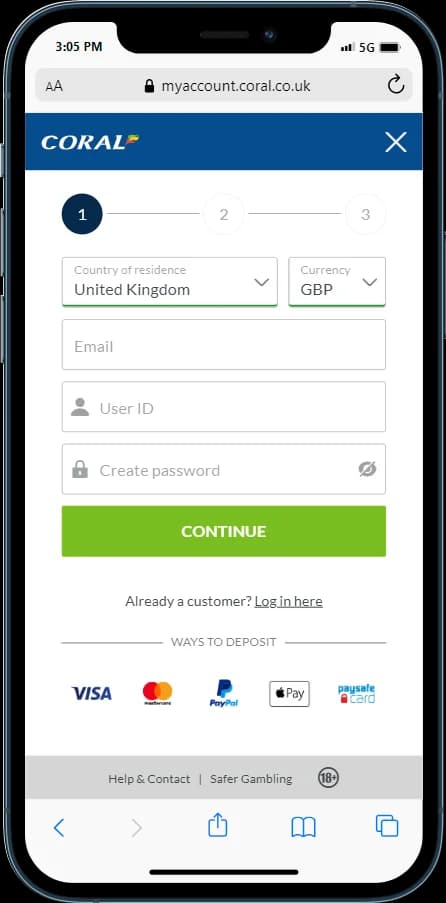
The exact documents depend on the information that Coral needs to confirm. Players should submit clear‚ valid‚ and readable copies. Screenshots of incomplete pages‚ edited images‚ or documents with important details hidden may be rejected.
Proof of identity
A valid identity document normally includes a passport‚ photocard driving licence‚ or another officially accepted document. The name‚ photograph‚ date of birth‚ document number‚ and expiry date should be visible. Expired documents may not be accepted.
Proof of address
Address verification may require a recent bank statement‚ utility bill‚ council tax document‚ or official government correspondence. The document should show the player’s full name and current UK residential address. It is generally expected to be recent‚ often issued within the previous three months‚ although the precise requirement may vary.
Payment or source-of-funds evidence
In some cases‚ Coral may request information about a payment method or the origin of deposited funds. This could involve a redacted bank statement‚ a payment account confirmation‚ or documents relating to income and available funds. Only the requested details should be supplied‚ and sensitive numbers should be obscured where the instructions permit it.
How to Complete the Verification Process
- Log in securely. Access the Coral website or official application using a private device and a trusted internet connection.
- Open the account or verification section. Look for a notification‚ account message‚ or request in the profile area.
- Read the instructions carefully. Check which document types are accepted and whether the operator asks for one or both sides of an identity document.
- Prepare high-quality images. Place the document on a flat surface in good lighting. Ensure all corners are visible and the text is sharp.
- Upload the files through the official channel. Do not send identity documents to unofficial social-media accounts or unknown email addresses.
- Confirm the submission. Keep any reference number or confirmation message until the review is complete.
- Monitor account messages. Coral may contact the player if a document is unclear‚ incomplete‚ expired‚ or inconsistent with the registration information.
Players should not create a second account while waiting. Duplicate accounts can complicate verification and may conflict with the operator’s terms. If a personal detail was entered incorrectly‚ it is safer to contact support and request a correction.
Tips for Avoiding Verification Delays
- Use the same name and date of birth on the account and identity document.
- Enter the complete residential address‚ including the correct postcode.
- Upload documents in the format and file size requested by the verification page.
- Do not crop out document edges‚ security features‚ or identifying information unless the instructions specifically allow it.
- Make sure the document is current and readable.
- Use a payment method registered in the account holder’s name.
- Respond promptly if Coral asks for additional information.
- Never alter a document or provide someone else’s identity evidence.
Automated checks may sometimes verify an account without manual uploads. Even then‚ the operator can request further evidence later. Players should keep their account information accurate and update it when circumstances change.
How Long Does Verification Take?
Many routine checks are completed quickly‚ especially when information is consistent and the documents are clear. Manual reviews can take longer‚ particularly during busy periods‚ after a payment-method change‚ or when enhanced due-diligence checks are required.
There is no universal processing time for every account. The most reliable estimate is the one provided in the account message or by Coral’s support team. A pending withdrawal does not necessarily indicate a problem; it may simply mean that required checks have not been completed.
Questions Players Commonly Ask
Can I play before verification is complete?
Some account functions may be available before full verification‚ but restrictions can apply to deposits‚ bonuses‚ gameplay‚ or withdrawals. UK operators can also request verification at any stage. Players should not assume that being able to place a bet means every account check has been completed.
Why was my document rejected?
Common reasons include poor image quality‚ missing pages‚ an expired document‚ an address mismatch‚ unreadable text‚ or a document type that is not accepted. The rejection message may explain what must be corrected. If it does not‚ contact official support rather than repeatedly uploading the same file.
What if I recently moved house?
Update the account details first if the account permits it‚ then provide a recent document showing the new address. If the old address appears on existing records‚ explain the change to support and follow the instructions supplied.
Can I withdraw while verification is pending?
Withdrawals may be held until identity and payment checks are completed. This is a normal compliance measure. Players should submit the requested documents and avoid cancelling and recreating withdrawals repeatedly‚ as doing so may create additional processing steps.
Is my personal information secure?
Documents should be uploaded only through official Coral systems. Players should check the website address‚ avoid public computers‚ use strong account security‚ and never disclose passwords or one-time authentication codes. The operator’s privacy policy explains how personal information is handled and retained.
When to Contact Coral Support
Support should be contacted if the verification request is unclear‚ the upload page repeatedly fails‚ a document has been pending for an unusually long time‚ or the player cannot provide the requested evidence. Include the account username or registered email where appropriate‚ but do not send a password or full payment-card details.
A useful support message should briefly explain the issue‚ identify the document already submitted‚ and mention any error displayed on screen. Screenshots of technical errors can help‚ provided they do not reveal passwords‚ authentication codes‚ or unnecessary financial information.
Responsible Account Use in the UK
Verification is also connected with safer gambling. Coral may ask questions about deposits‚ spending patterns‚ or affordability as part of responsible-gambling procedures. These checks are intended to help ensure that gambling remains appropriate for the player’s circumstances.
Players should set budgets before gambling‚ avoid using borrowed money‚ and take a break if play stops feeling enjoyable. Account tools may include deposit limits‚ time reminders‚ reality checks‚ temporary breaks‚ or self-exclusion. Verification does not guarantee winnings‚ and it should never be treated as approval to gamble beyond personal means.
Final Checklist
- Registration details match official identity documents.
- The account contains the player’s current UK address.
- Identity evidence is valid‚ clear‚ and complete.
- Proof of address is recent and readable.
- Payment methods belong to the account holder.
- Documents are uploaded only through official Coral channels.
- Support instructions are followed without opening a duplicate account.
- Personal passwords and security codes remain private.
Verifying a Coral Casino account in the United Kingdom is usually a structured process: provide accurate registration information‚ upload suitable documents‚ respond to follow-up requests‚ and wait for the review to finish. Preparing everything in advance reduces delays and helps protect both the account and the payment process. Players should rely on current official terms and support guidance because document requirements and procedures can change.